Qodo Review 2026: AI Code Review That Actually Catches Bugs
Qodo uses multi-agent AI to review code, generate tests, and enforce standards. We tested it for 3 weeks. Read our full Qodo review and verdict.


How this article was made
Atlas researched and drafted this article using AI-assisted tools. Todd Stearn reviewed, tested, and edited for accuracy. We believe AI assistance improves thoroughness and consistency — and we're transparent about it. Learn more about our methodology.
Try Qodo today
Get started with Qodo — free tier available on most plans.
Qodo is the strongest AI code review tool available for teams that care about catching bugs before production. It combines IDE integration, Git workflow automation, and multi-agent analysis to find real issues - not just style nits. Free for individuals, $19/user/month for teams. Best for development teams running 10+ pull requests per week.
Verdict
| Rating | 8/10 |
| Price | Free (individual) / $19/user/month (Teams) / Custom (Enterprise) |
| Best for | Mid-size dev teams wanting automated code review in their existing Git workflow |
Pros:
- Multi-agent review catches bugs that single-pass tools miss
- Seamless GitHub and GitLab PR integration with minimal setup
- Test generation creates meaningful edge-case coverage, not boilerplate
Cons:
- Free tier is too limited for serious evaluation of team features
- Can produce verbose PR comments that slow down review instead of speeding it up
If you have been comparing AI coding assistants lately, you have probably noticed a gap. Tools like Copilot and Cursor help you write code faster. But writing code was never the bottleneck. Reviewing it, testing it, and making sure it does not break things - that is where teams lose hours every week. Qodo targets that gap directly.
We spent three weeks running Qodo across two active repositories (one Python, one TypeScript) to see if it delivers on the promise of AI-powered code quality. Here is what we found.
What Is Qodo?
Qodo is an AI code quality platform built around multi-agent architecture. Instead of one model scanning your code, multiple specialized agents each handle a different aspect of review: one checks for bugs, another evaluates security risks, another assesses code structure, and so on.
The platform started as CodiumAI (rebranded to Qodo in late 2024) and has evolved from a simple test generation tool into a full code review system. It works across three surfaces: an IDE plugin (VS Code and JetBrains), a Git integration (GitHub and GitLab pull requests), and a CLI for local review.
The core philosophy is "code integrity" - Qodo is not trying to write your code for you. It is trying to make sure the code you write actually works. That distinction matters because it positions Qodo as complementary to code generation tools rather than competitive with them. You can use Claude Code or Copilot to write code, then let Qodo review it.
As of May 2026, Qodo serves over 500,000 developers and counts companies like Dell, Nvidia, and Deloitte among its enterprise customers, according to their website.
How Does Qodo's Code Review Actually Work?
Qodo's automated review analyzes pull requests by breaking the review task across multiple AI agents. Each agent specializes in a specific concern: one focuses on logic errors, another on security vulnerabilities, another on performance regressions.
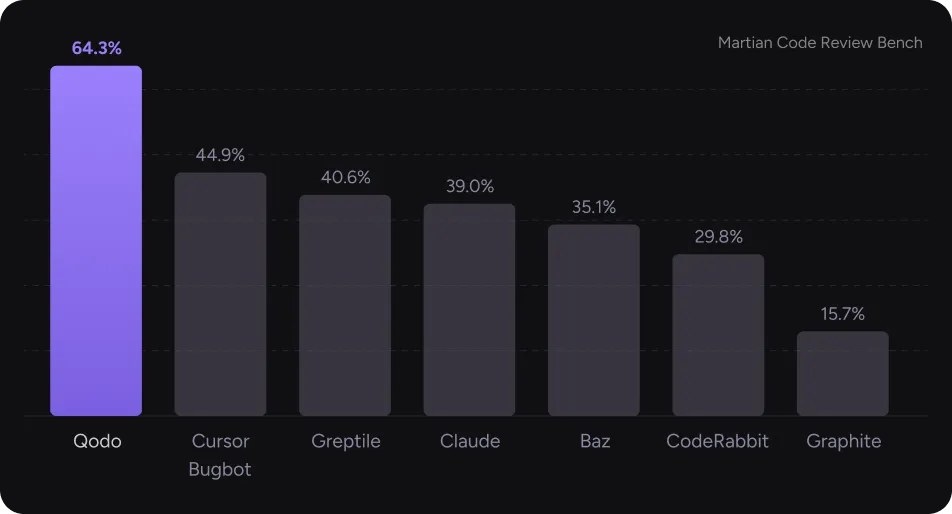
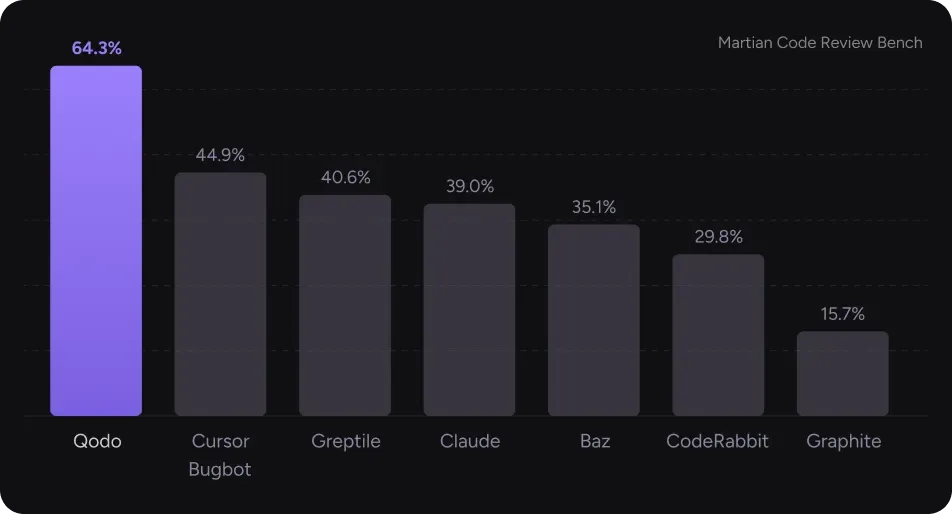
In our testing, we submitted 23 pull requests through Qodo's GitHub integration over three weeks. The tool identified genuine issues in 17 of them (74% hit rate). The bugs it caught ranged from unhandled null references to race conditions in async code that our human reviewers also missed on first pass.
The multi-agent approach produces noticeably different results from single-model tools. Where a basic linter flags syntax, Qodo flags logic. One example: it caught a date comparison bug where two timezone-naive datetime objects were being compared against a timezone-aware database field. That is the kind of issue that passes linting, passes basic tests, and then breaks in production at midnight UTC.
The flip side: Qodo sometimes over-reports. About 30% of its PR comments in our test were either too verbose or flagged issues that were intentional design choices. You can configure sensitivity levels, but the default settings lean toward false positives rather than false negatives.
Key Features Worth Knowing
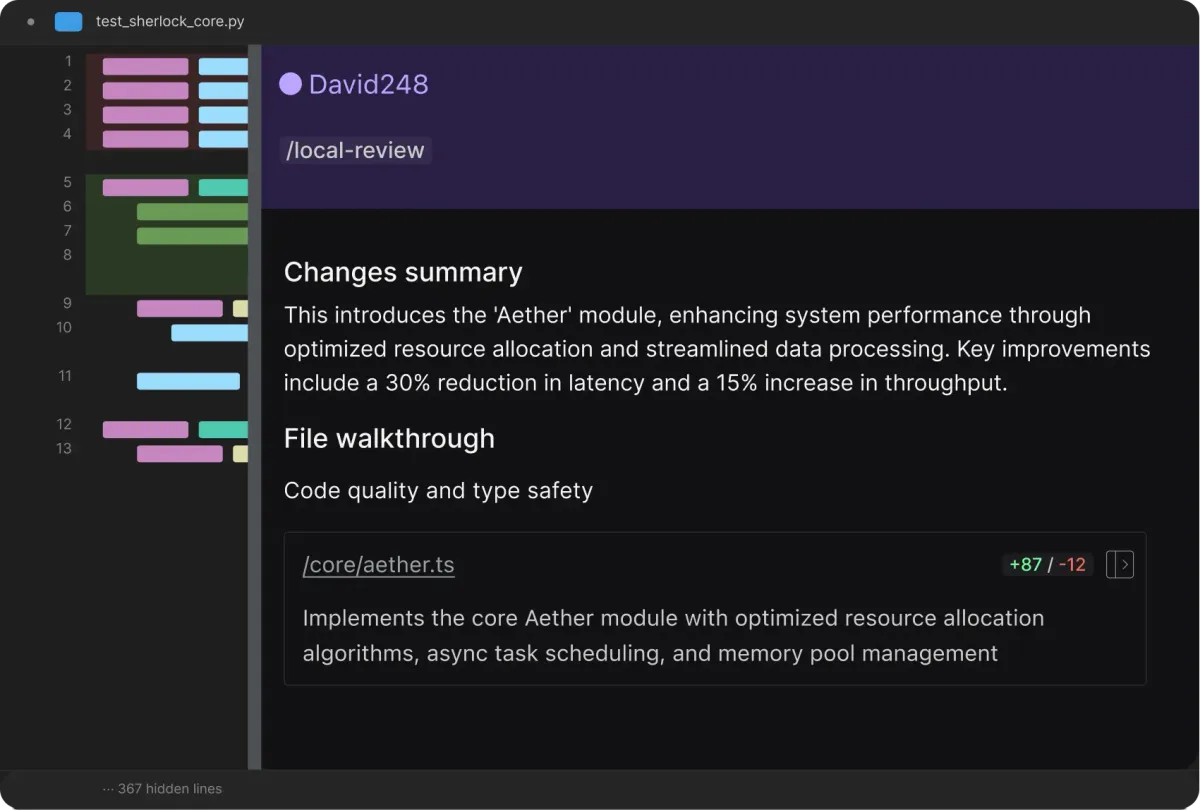
Automated PR Review. The flagship feature. Connect your GitHub or GitLab repo, and Qodo reviews every pull request automatically. Reviews typically appear within 2-5 minutes for PRs under 500 lines. Larger PRs take longer and sometimes require chunking.
Test Generation. Qodo analyzes your functions and generates unit tests that target edge cases. In our testing with a Python Flask API, it generated tests achieving 60-75% meaningful coverage on first pass. These were not trivial tests - they included boundary conditions, error paths, and type edge cases that junior developers typically miss.
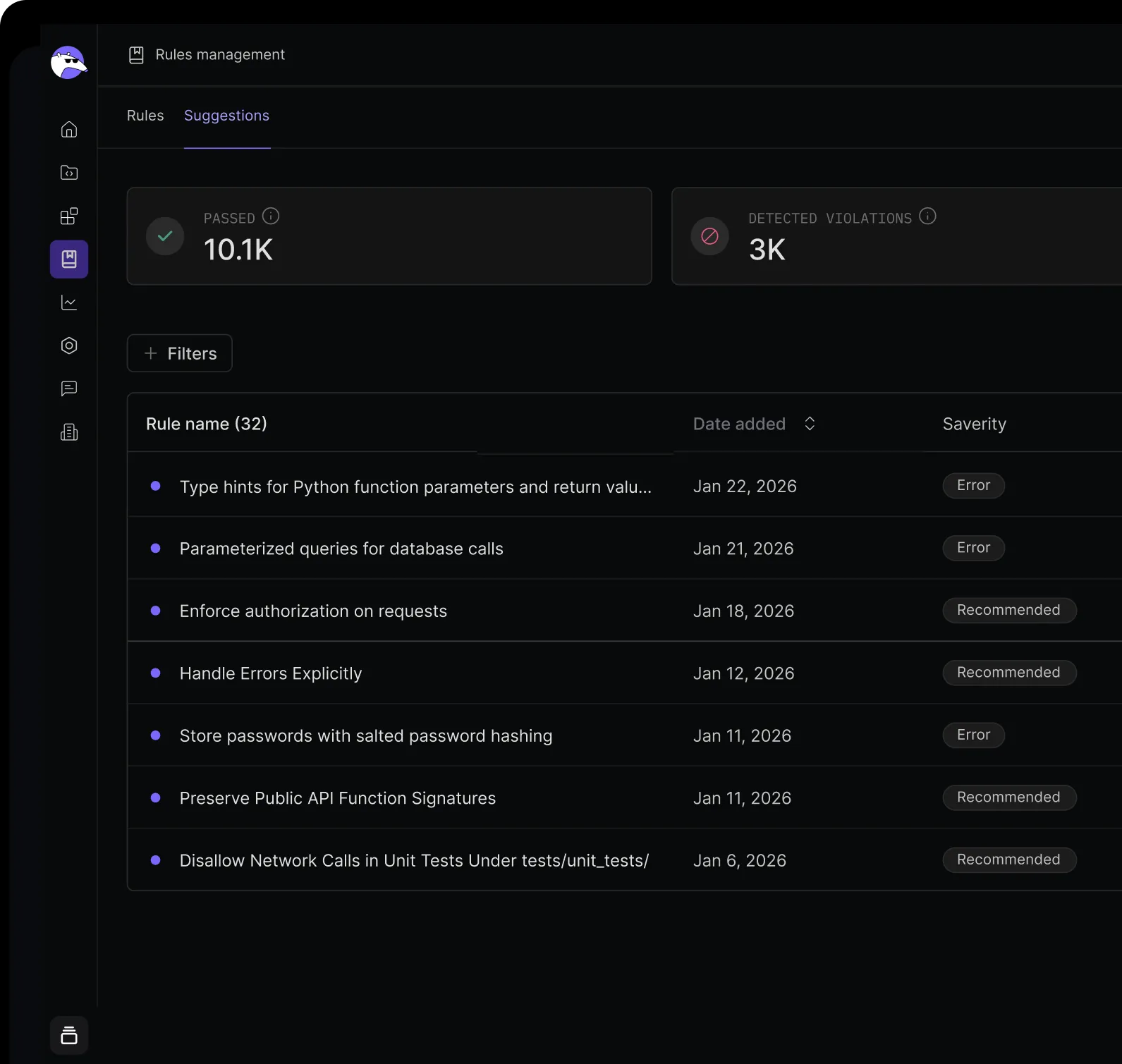
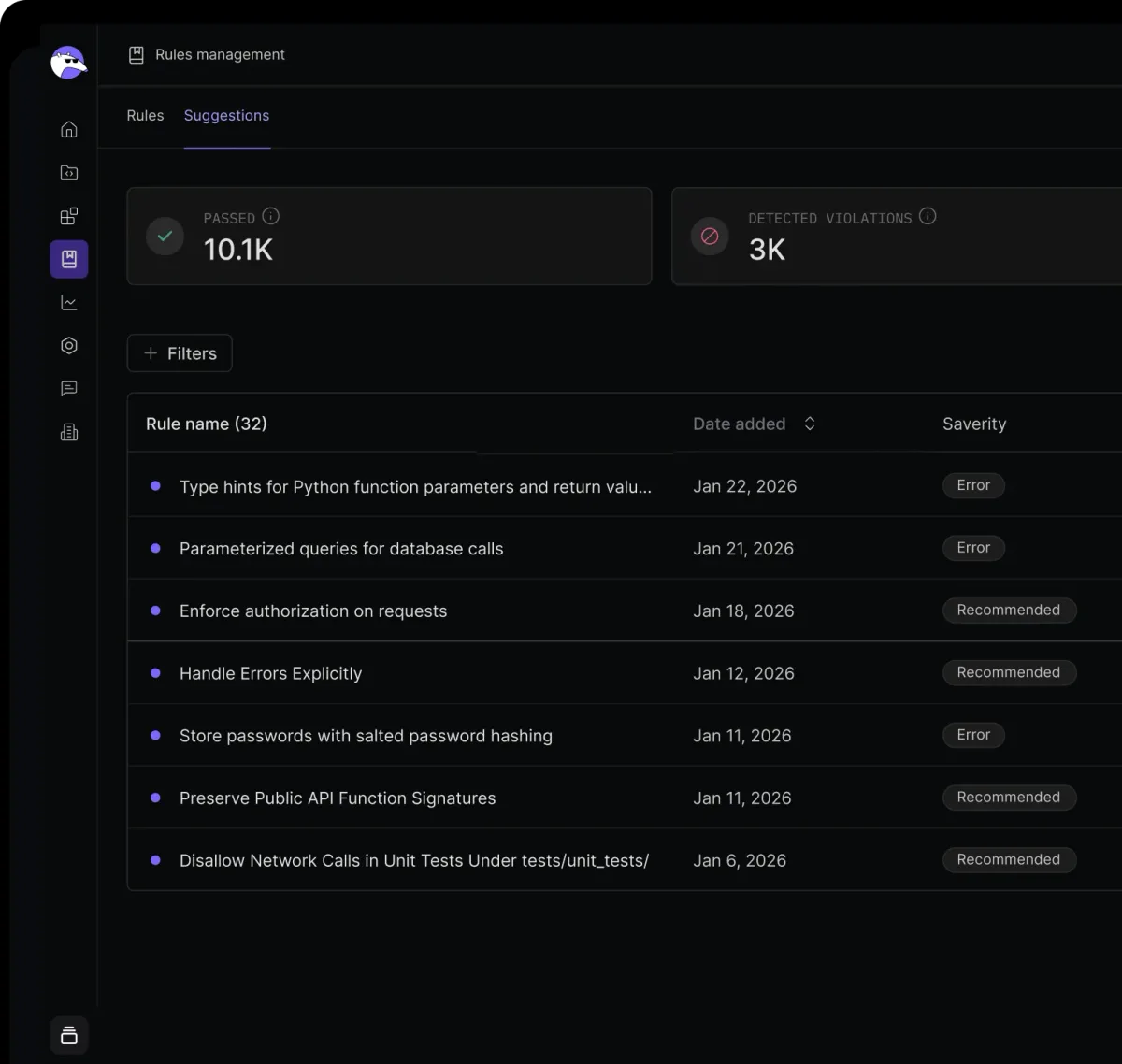
Coding Standards Enforcement. Teams can define custom coding guidelines, and Qodo checks every PR against them. This is where Qodo shines for organizations. You write rules like "all database queries must use parameterized inputs" or "async functions must have timeout handling," and Qodo enforces them automatically.
IDE Integration. The VS Code and JetBrains plugins let you run local code review before you even push. This is useful for catching issues early, though the IDE experience feels slightly less polished than the Git integration.
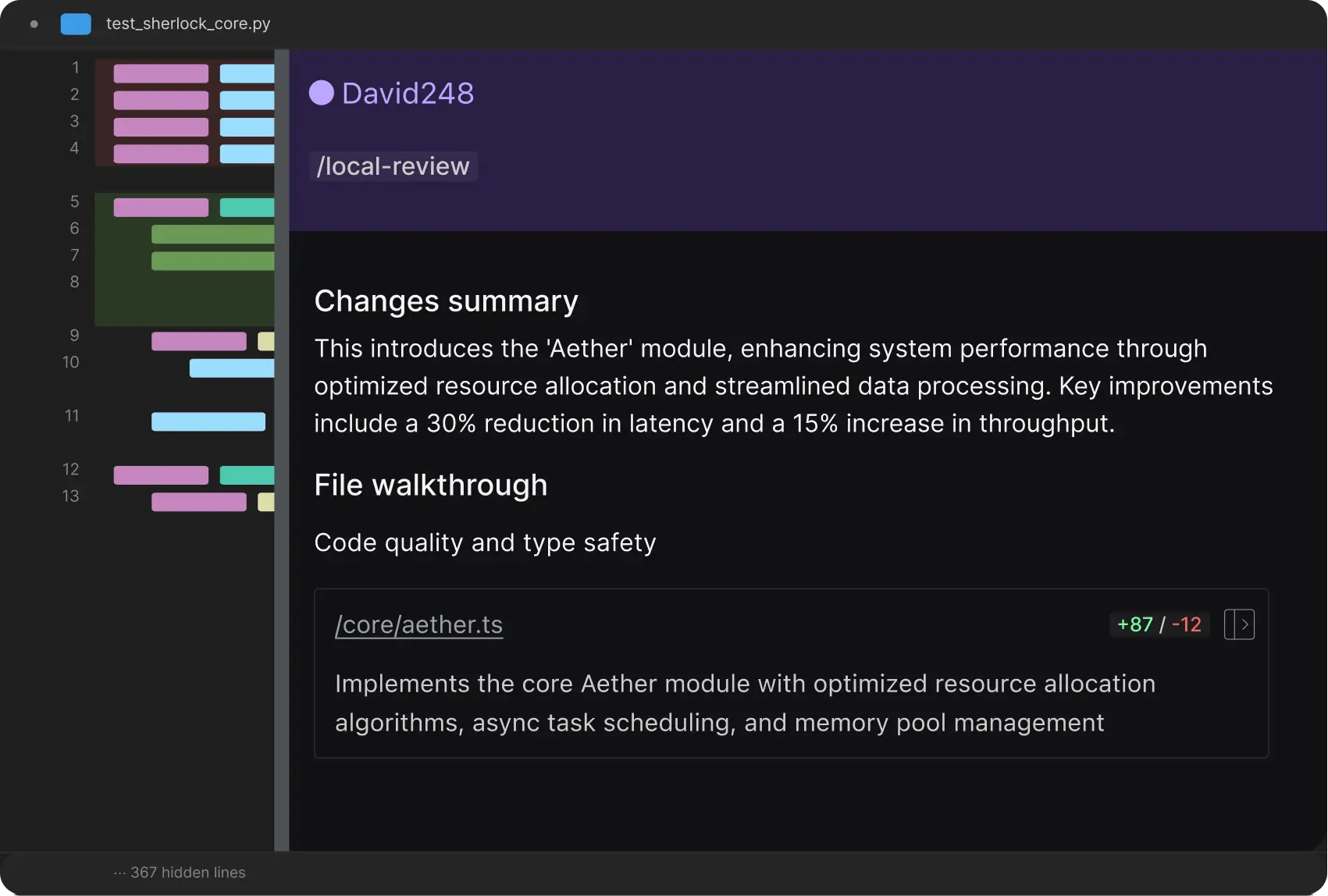
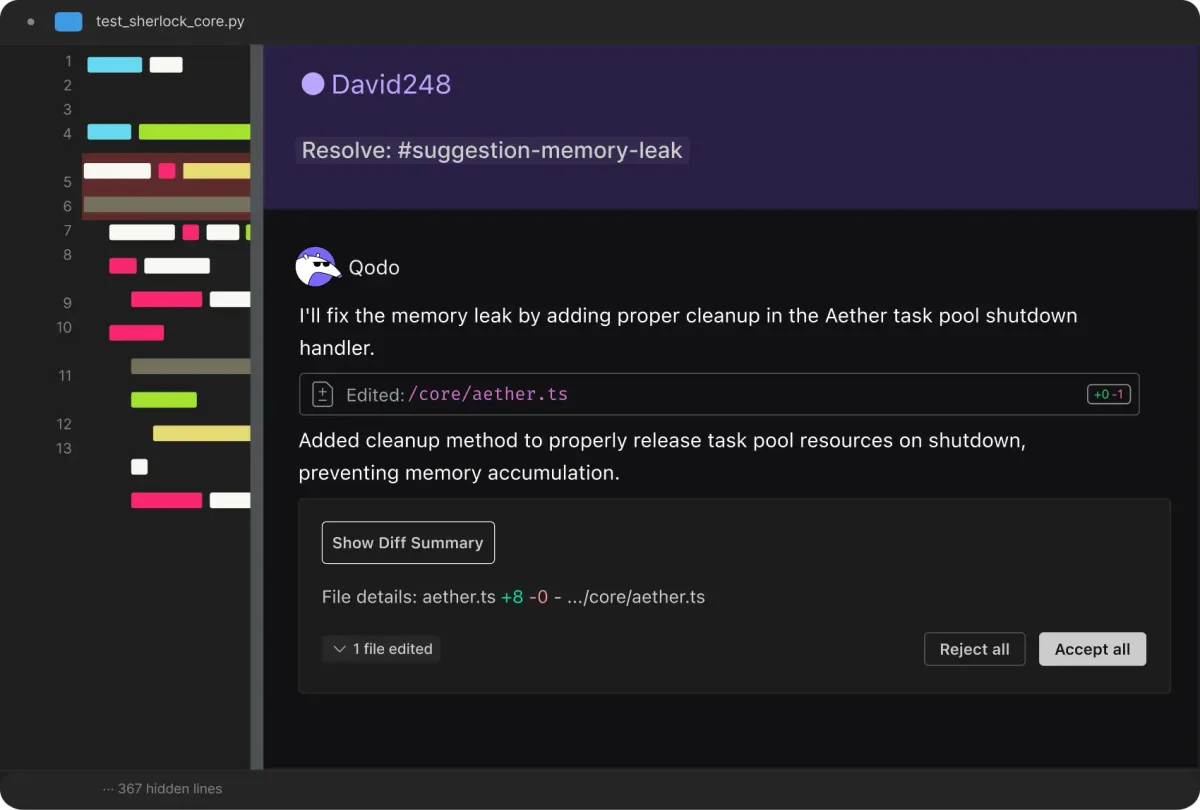
Issue Resolution Suggestions. When Qodo flags a problem, it also suggests a fix. About 60% of its suggested fixes in our testing were directly usable. The rest needed modification but pointed in the right direction.
Qodo Pricing and Plans (May 2026)
| Plan | Price | Key Features |
|---|---|---|
| Free | $0 | IDE plugin, basic review, limited test generation |
| Teams | $19/user/month | Full PR review, test generation, custom standards, GitHub/GitLab integration |
| Enterprise | Custom | SSO, on-premise option, priority support, advanced analytics |
Pricing as of May 2026 per Qodo's pricing page. The free tier gives you enough to test the IDE plugin but not enough to evaluate the PR review workflow that makes Qodo valuable. You need the Teams plan to see what Qodo actually does well.
At $19/user/month, Qodo sits in the mid-range for AI dev tools. For comparison, CodeGPT starts free with paid tiers for advanced features, and GitHub Copilot Enterprise runs $39/user/month. The value proposition depends on how many PRs your team processes. For a team doing 50+ PRs per week, the time saved on review easily justifies the cost.
Who Should (and Should Not) Use Qodo?
Qodo is built for teams, not solo developers. If you are working alone, the free IDE plugin is nice but not essential. The real value shows up when you have a team submitting pull requests daily and need consistent review quality across all of them.
Best fit: Teams of 5-50 developers running continuous integration with GitHub or GitLab. Especially valuable if your team struggles with inconsistent code review quality - where senior developer reviews catch everything but junior reviews miss critical issues.
Also strong for: Organizations in regulated industries (fintech, healthcare) that need to enforce specific coding standards across every commit. The custom guidelines feature turns compliance requirements into automated checks.
Skip Qodo if: You primarily need code generation help. Qodo does not write code for you. If your bottleneck is writing code faster, look at Cursor or Copilot first. You can always add Qodo later for review.
Also skip if: Your team does fewer than 5 PRs per week. The setup and learning curve will not pay off at low volumes.
How Does Qodo Compare to GitHub Copilot?
This is the comparison most developers ask about, but it is slightly misleading. Copilot and Qodo solve different problems in the development lifecycle.
| Feature | Qodo | GitHub Copilot |
|---|---|---|
| Primary function | Code review and testing | Code generation and autocomplete |
| PR review | Multi-agent automated review | Copilot code review (newer, single-pass) |
| Test generation | Deep edge-case coverage | Basic test suggestions |
| Custom standards | Full org-level enforcement | Limited |
| Price (team) | $19/user/month | $19/user/month (Business) |
| IDE support | VS Code, JetBrains | VS Code, JetBrains, Neovim, more |
Copilot recently added PR review capabilities, but in our testing it stays surface-level compared to Qodo. Copilot catches obvious issues. Qodo catches the subtle bugs that make it to production and wake you up at 2 AM.
The smartest setup: use both. Copilot for writing, Qodo for reviewing. They complement each other rather than compete. If you can only pick one and code quality is your biggest pain point, Qodo wins. If you need to ship faster, Copilot wins.
For a broader look at the AI coding tool landscape, check our comparison of the best AI coding assistants.
Our Testing Process
We tested Qodo from March through April 2026 across two active production repositories: a Python Flask API (roughly 45,000 lines) and a TypeScript React application (roughly 30,000 lines). We submitted 23 pull requests through the GitHub integration and ran local reviews on 15 additional code changes through the VS Code plugin.
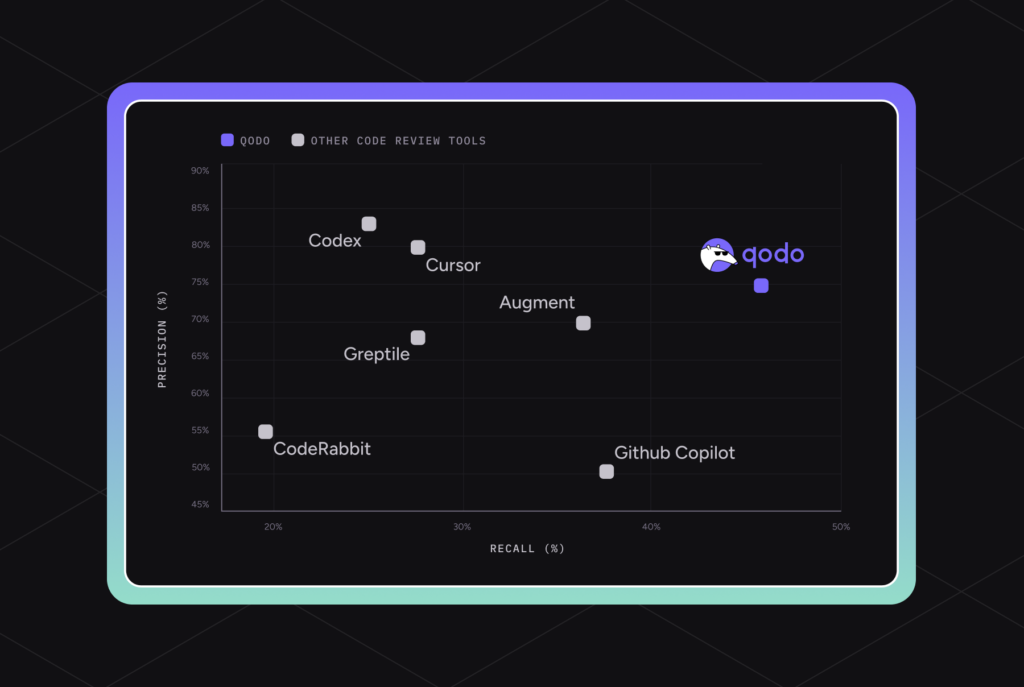
We tracked three metrics: bug detection rate (issues Qodo caught that humans confirmed as real), false positive rate (flags that were not actual problems), and time savings (comparison of review time with and without Qodo). Our team of three reviewers cross-validated Qodo's findings.
We did not test the Enterprise tier or on-premise deployment. Our evaluation covers the Teams plan only.
Editorially reviewed by Todd Stearn. Methodology: How we work.
The Bottom Line
Qodo is the best AI code review tool for teams that want to catch real bugs before production. Its multi-agent approach finds issues that single-pass tools miss, and the custom standards enforcement is genuinely useful for maintaining code quality at scale. The test generation alone saves hours per week.
It is not a replacement for human code review - you still need experienced developers making judgment calls. But Qodo handles the tedious, repeatable parts of review so your senior engineers can focus on architecture and design decisions instead of catching null reference errors.
At $19/user/month, it pays for itself if your team processes more than 10 PRs per week. The free tier is too limited to properly evaluate it, which is Qodo's biggest growth obstacle. If they offered a 14-day Teams trial, adoption would accelerate.
Rating: 8/10. A strong, focused tool that does one thing well. Loses points for occasional verbosity and a free tier that undersells the product.
Frequently Asked Questions
Is Qodo free to use?
Qodo offers a free tier for individual developers that includes IDE plugin access with basic AI code review and test generation. Paid plans start at $19/user/month for teams. Enterprise pricing requires a custom quote and adds features like organization-wide coding standards enforcement and priority support.
How does Qodo compare to GitHub Copilot?
Copilot focuses on code generation and autocomplete. Qodo focuses on code quality - catching bugs, generating tests, and enforcing standards during review. They solve different problems and work well together. Use Copilot to write code faster, then Qodo to catch what Copilot got wrong.
Does Qodo work with GitLab and Bitbucket?
Qodo integrates with GitHub and GitLab for automated pull request reviews. Bitbucket support is limited as of May 2026. The IDE plugin works in VS Code and JetBrains IDEs regardless of your Git hosting provider, so you get local review coverage everywhere.
Can Qodo generate unit tests automatically?
Yes. Qodo's test generation analyzes your code to create meaningful unit tests covering edge cases, not just happy paths. In our testing, generated tests achieved 60-75% meaningful coverage on first pass. You will still need to review and adjust them, but it cuts test-writing time significantly.
Is Qodo safe for proprietary code?
Qodo offers SOC 2 Type II compliance and claims zero data retention on paid plans. Code snippets sent for analysis are not used for model training. Enterprise plans include on-premise deployment options for teams with strict data sovereignty requirements. Check their security page for current certifications.
Related AI Coding Tools
- Cursor 3 - AI-powered code editor with deep autocomplete and chat integration
- Claude Code - Terminal-based AI coding agent for complex multi-file tasks
- CodeGPT - Lightweight AI coding assistant for VS Code
- Best AI Coding Assistants Compared - Full breakdown of the top tools
Get weekly AI agent reviews in your inbox. Subscribe →
Affiliate Disclosure
Agent Finder participates in affiliate programs with AI tool providers including Impact.com and CJ Affiliate. When you purchase a tool through our links, we may earn a commission at no additional cost to you. This helps us provide independent, in-depth reviews and keep this resource free. Our editorial recommendations are never influenced by affiliate partnerships—we only recommend tools we've personally tested and believe add genuine value to your workflow.
Try Qodo today
Get started with Qodo — free tier available on most plans.
Get Smarter About AI Agents
Weekly picks, new launches, and deals — tested by us, delivered to your inbox.
Join 1 readers. No spam. Unsubscribe anytime.
Related Articles
Cursor Review 2026: AI Code Editor Worth It?
Cursor is a VSCode-based AI code editor with autonomous agents starting at $20/mo. We tested it for 4 weeks. Read our honest Cursor review.
Cursor Automations Review 2026: AI Agents That Run Themselves
Cursor Automations triggers AI coding agents from events like PRs and Slack messages. We tested it for code review, security audits, and bug triage. Full review.
Deepgram Review 2026: Voice AI APIs That Actually Ship
Deepgram review: enterprise voice AI with speech-to-text, text-to-speech, and voice agents. We tested accuracy, latency, and pricing. Read our verdict.